Your new NAEMA website is live
Our new website and Member Compass are officially live, and we'd love to show you around! Each section below links to the matching page on the site, so explore away.
As with any big move, there may be a few hiccups along the way. Please reach out to membership@naema.com with questions, if something isn't working, or just to tell us what you think.
Looking for the Frisco conference recap?
Create your login and head to the Frisco 2026 Fall Conference Recap page to view photos and presentation materials!
Create your new login
Your previous username and password will not work on the new website. Everyone needs to set up a new login, and it only takes a couple of minutes.
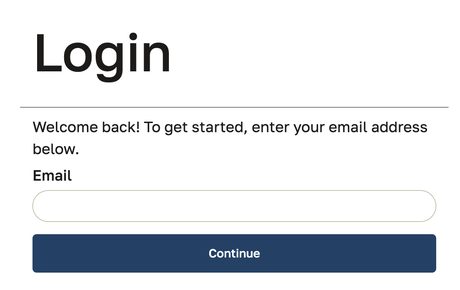
- Go to the login page (or Members Only › Login), enter your email, and click Continue.
- We have your email on file? You'll be prompted to Set Password. Follow the steps and you're in.
- Email not on file? Double-check the spelling, then click Create Account. We brought over 10+ years of member data, so if you end up with a duplicate profile, let us know and we'll merge it.
- You'll get a confirmation email that brings you back to the site.
Creating a new account? Here's how.
Use your company email so we can connect your account to your company's membership.
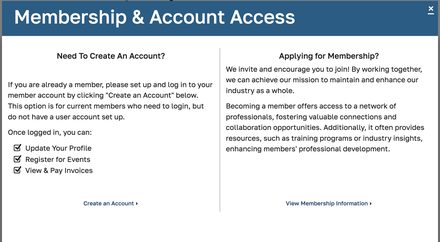
- Click Create an Account. After clicking Create Account, choose Create an Account in the "Need To Create An Account?" box. This option is for current members who don't have a login yet.
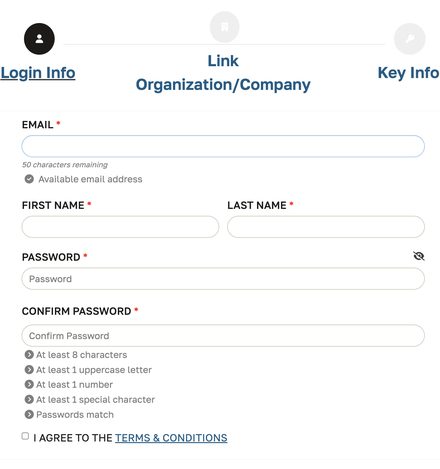
- Enter your login info. Add your company email address, first and last name, and a password (at least 8 characters with an uppercase letter, a number, and a special character). Agree to the terms and click Save and Continue.
- Link your company. Start typing your company name. It searches our member directory, so select your company from the list, press enter, and click Save and Continue.
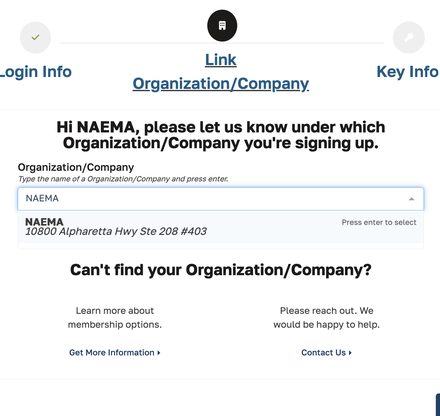
- Finish your key info. Complete the last few details and you're all set. Can't find your company? Contact us and we'll connect you.
Your Member Compass™
Once you log in, you'll land in your Member Compass, your personal hub for updating your profile, managing your event registrations, and viewing, printing, and paying invoices. To get back to it from anywhere on the site, go to Members Only › Member Compass or click your name at the top of the page.
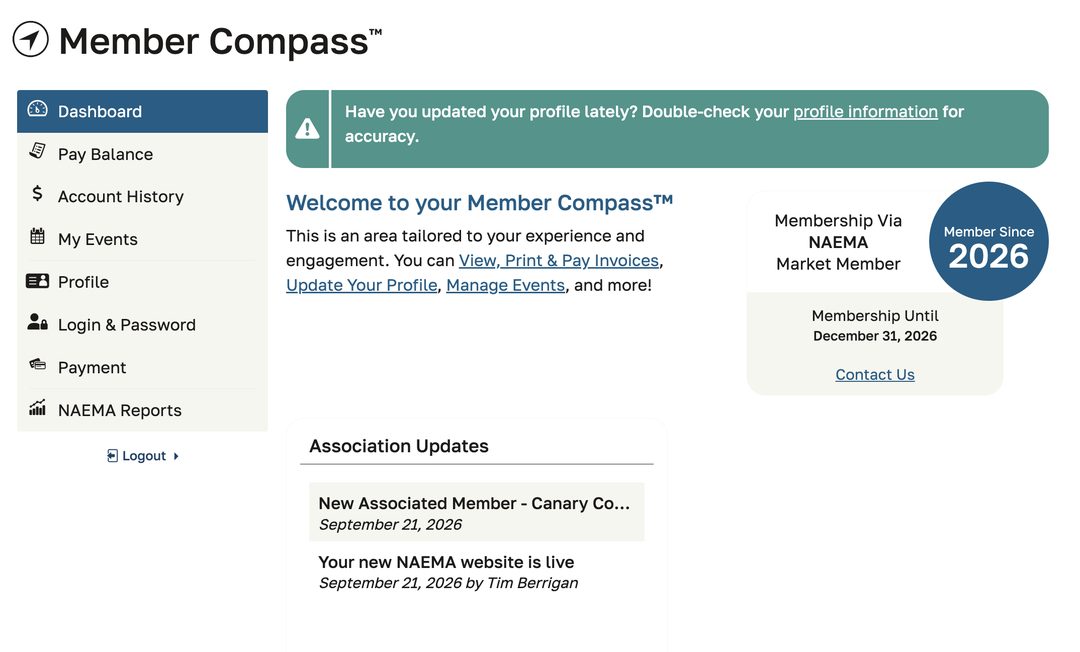
Every member can see:
- Membership status and renewal date
- Your balance and account history (future)
- Your registered events (future)
- Your personal profile and login
Primary/billing contacts also see:
- Company profile
- Company transactions
- Staff roster (add, remove, edit)
- Staff access permissions
Not listed as a company contact but think you should be? Let us know.
Update your profile
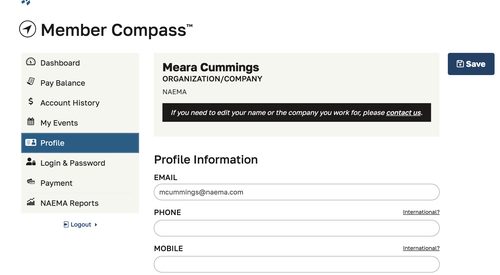
In your Member Compass, click Profile to:
- Confirm your email, phone, and mobile number are current.
- Add your billing and shipping addresses (leave billing blank if it matches your company's).
- Add a headshot and your LinkedIn profile so fellow members can put a face to the name.
Need to change your name or company? Contact us and we'll update it.
Member Directory
Find it under Members Only › Member Directory. Each member company now has its own page with an organization overview, contact details, and its people, so it's easier than ever to find the right person at a fellow NAEMA member and reach out directly. The directory is only visible to logged-in NAEMA members.
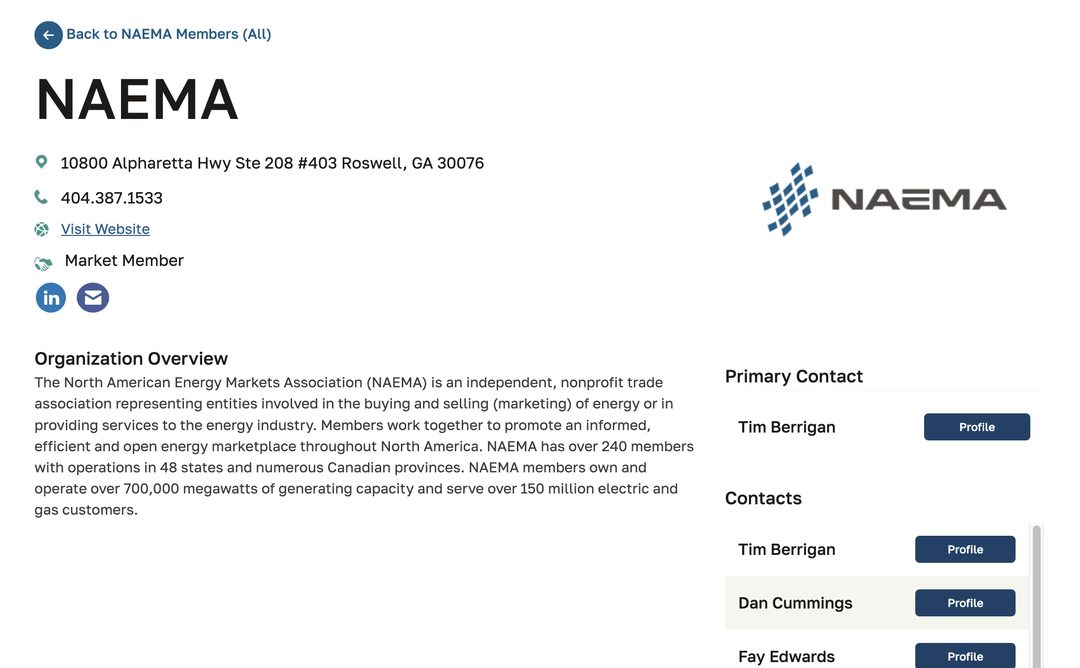
Have an idea for making the directory more useful? Tell us.
You control what's shared
The real value of the directory is being able to connect with one another, so your contact information is shared with logged-in NAEMA members by default, never the public. You can change what's shown at any time under Privacy Settings at the bottom of your Member Compass profile. You can choose to:
- Hide your address only
- Hide all of your contact information (email, address, phone, and website)
- Hide your record from the website entirely, including member directories and leadership listings
- Opt out of emails about upcoming NAEMA events and initiatives (you'll still get transactional emails like event confirmations and password resets)
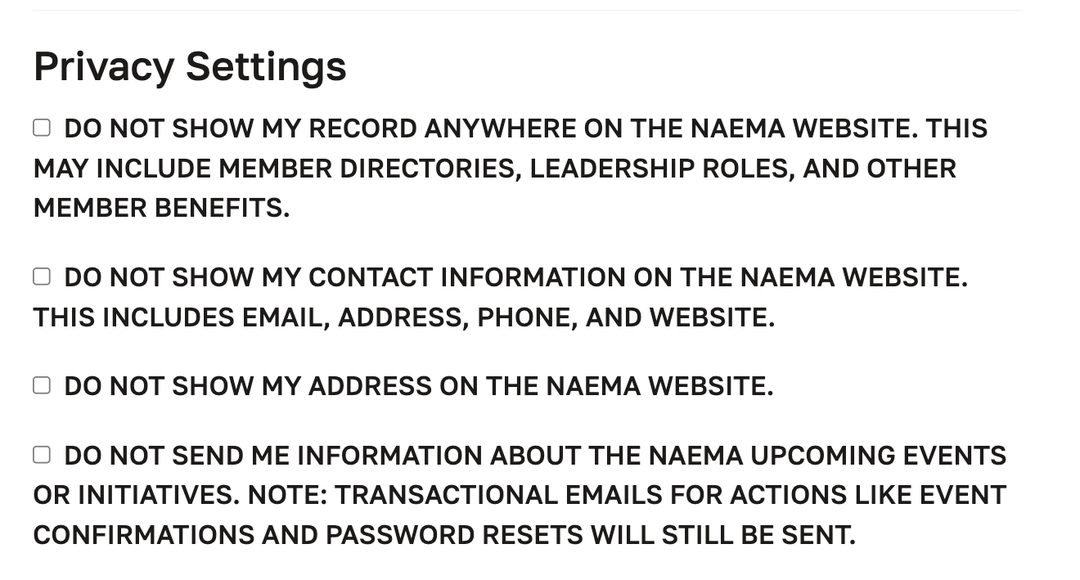
Just check the boxes that apply and click Save.
Events, RFPs, and more
Upcoming conferences, RFP and job postings, contracts, and member news are all easy to find from the main menu.
Still have questions? Join a quick site walkthrough on Friday, October 16 at 10:30 AM CT on Microsoft Teams.
We'll cover logging in, updating your profile and privacy settings, managing your company's staff list, and using the directory, and we'll answer questions and help troubleshoot any issues.
To join, email membership@naema.com and we'll send you the meeting invite.